
11.2 Entering Expressions
Parentheses
Order of Operations: The calculator follows the standard order of operations.
Exponents and Powers
Exponents: We use the caret key, ^, to enter exponents or powers.
Squaring: There is a short-cut key for squaring, x squared.
Fractional Exponents: Fractional exponents must be enclosed in parentheses!
Roots
Square Roots: We access the square root by pressing 2nd x squared, and the display shows . The calculator automatically gives an open parenthesis for the square root, but not a close parenthesis.
In the next example, note that we must enter ) at the end of the radicand to tell the calculator where the radical ends.
Cube Roots: For cube roots, we press MATH to open the Math menu and press (see Figure).
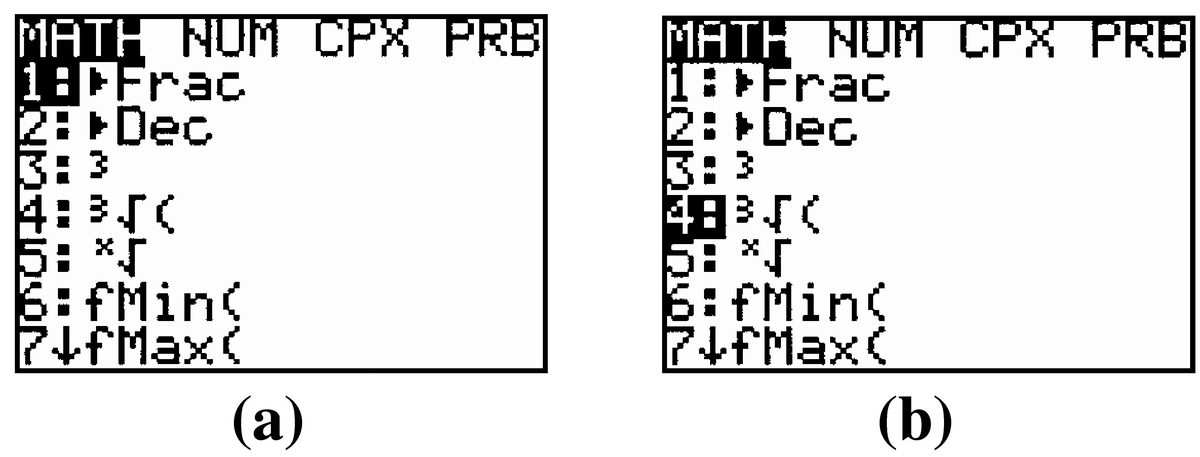
For evaluating cube roots and square roots, ) can be omitted if there are no operations following the radical.
Other Roots: For th roots, we press MATH to open the Math menu and press (see Figurea). The calculator symbol for th roots, , does not include an open parenthesis,(. If the radicand includes an operation, we must enclose it in parentheses.
Notice that we enter the index 10 before the radical symbol.
Absolute Value
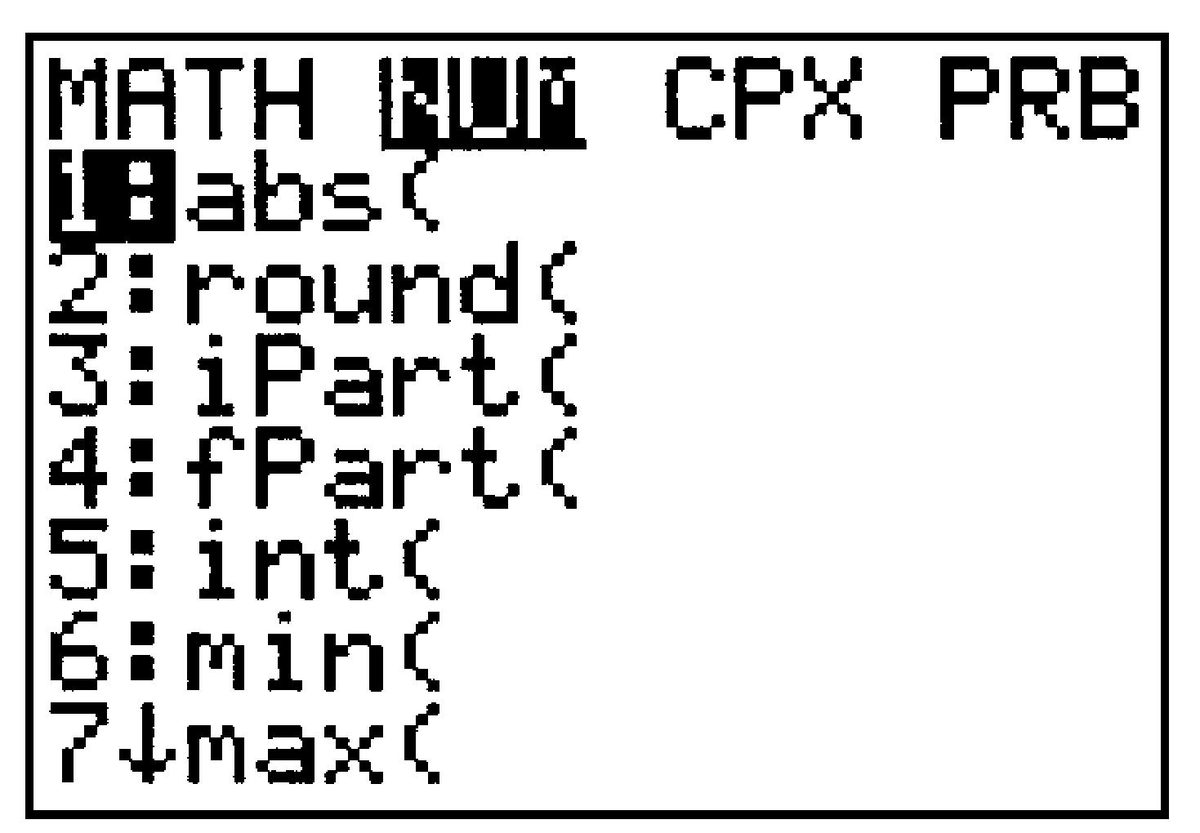
TI calculators use instead of to denote the absolute value of . The absolute value function is the first entry in the MATH NUM menu (see Figure). The calculator gives ( for the absolute value function, but not ).
Scientific Notation
The TI calculators display numbers in scientific notation when the numbers use too many digits to display.
This is how the calculator displays the number . Notice that the power is displayed as .
To enter a number in scientific form, we use the key labeled EE, or 2nd ,.
Troubleshooting
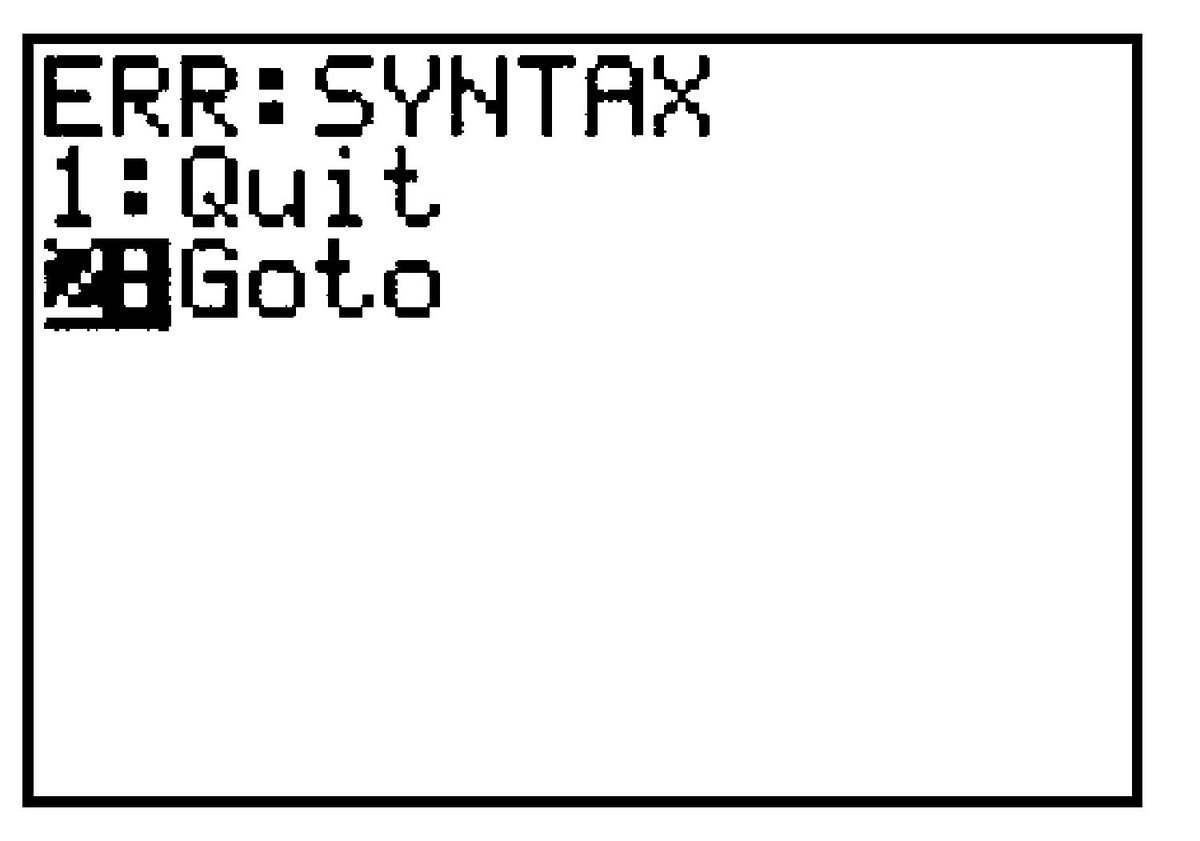
If your calculator gives you an error message like this, you may have made one of the following common mistakes:
-
Using the negative key,
(-), when you wanted the subtraction key,-, or vice versa. -
Omitting a
(or). Each(should have a matching).
Press to Go to the error, and see Editing Expressions below.
Modeling, Functions, and Graphs by Katherine Yoshiwara (yoshiwarabooks.org), GNU Free Documentation License 1.2 or later. Adapted for the XYZ HTML edition with the authors' permission (recorded 2026-07-04). License: GFDL-1.2-or-later.