
2.1 Space Curves: the Helix
A vector-valued function packages three scalar functions into one moving point:
and its graph is a space curve. The curve carries no information beyond its components — so the fastest way to understand one is to un-weave it. The tool for that is the curve's shadows: its projections onto the three coordinate planes. Each shadow keeps two components and throws the third away, which means each is a plane curve you already know how to read.
Our first specimen is the helix : a point running around a circle while climbing at a steady rate.
 Explore in 3D (opens in a new tab)
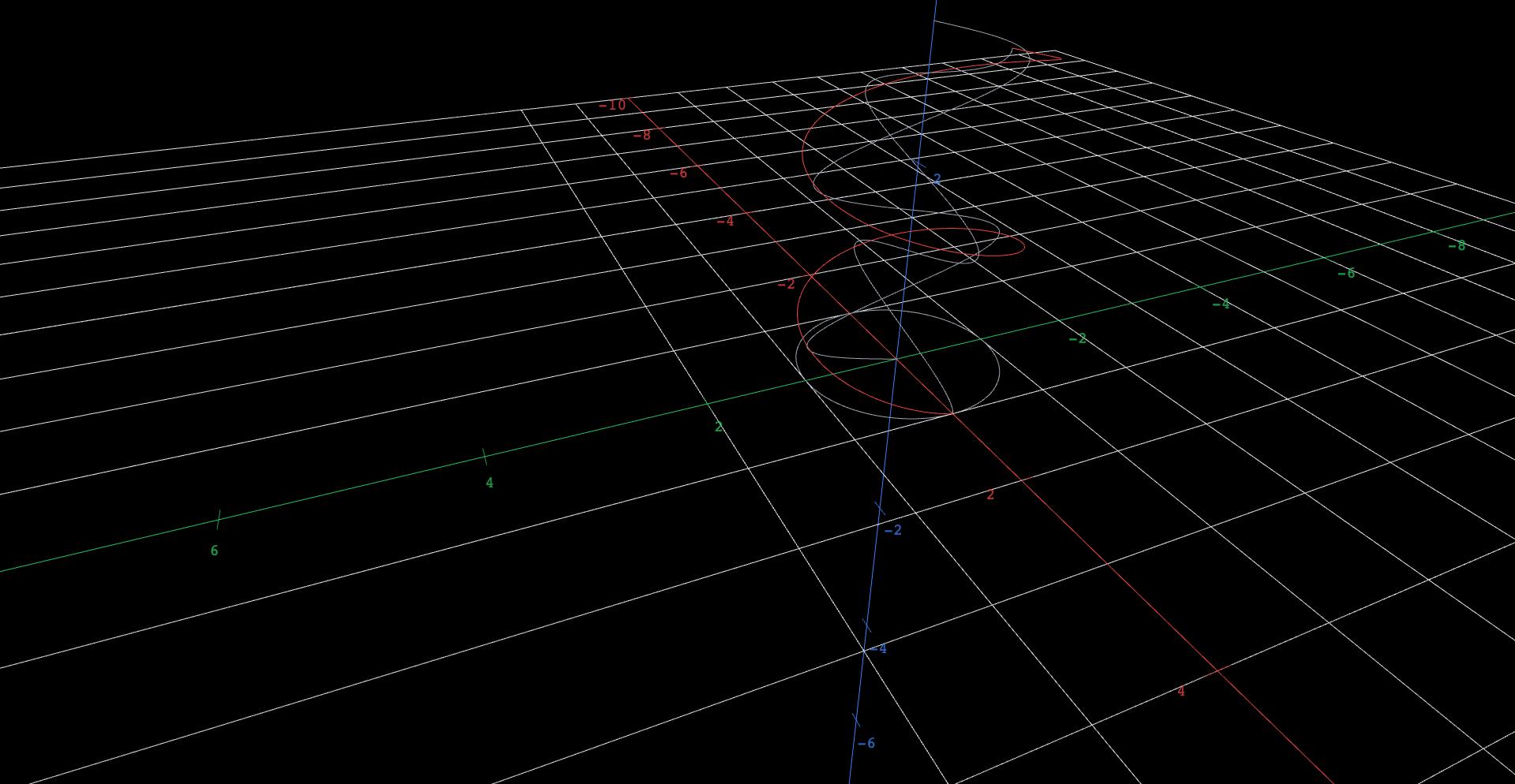
A red helix winding two full turns up around the z-axis, accompanied by three gray curves, its shadows: a circle lying flat in the xy-plane directly below it, a cosine-shaped wave standing in the xz-plane, and a sine-shaped wave standing in the yz-plane. Two sliders edit the helix and its shadows together. Slider q, starting at 0, bends the height component from t over 4 toward t squared over 16 pi, which reshapes the two standing waves and leaves the circle unchanged. Slider m, starting at 1, sets the first component to the cosine of m t; at m equals 2 the circle collapses into a parabolic arc and the xz wave changes, while the yz wave stays the same.
Explore
- Before orbiting: where the red curve appears to cross itself on screen, decide which strand is in front. Commit. Then orbit a quarter turn — were you right? Why can a single flat view of a space curve always fool you this way?
- Match each gray shadow to its coordinate plane and to the pair of component functions that build it. Which component does each shadow discard?
- Orbit to look straight down the -axis. Which shadow does the helix appear to become, and what information does this view destroy?
- Predict: if the third component were changed to , which shadows would change and which would stay exactly the same? Test your prediction with the slider , which blends the third component from at to at in the helix and in every shadow that keeps it. Drag it from 0 to 1, then back to 0.
- Predict again for changing to : which shadow is untouched this time? The -shadow stops being a circle — what shape does it collapse into? Test it by moving the slider from 1 to 2; the first component is .
Shadows are components, two at a time
Project the helix onto the -plane and you get — the pair with set to zero. The other two shadows are and . That is the general rule: the shadow on a coordinate plane is the curve with the discarded component replaced by zero. It explains everything you tested above. Editing alone cannot touch the -shadow, because that shadow never knew about ; it must change both vertical shadows, because each of them keeps . Every edit changes exactly the two shadows that use the edited component.
Read as graphs, the vertical shadows are old friends. In the -plane the shadow satisfies — a cosine wave lying on its side, since — and the -shadow is the matching sine wave. The helix is a circle and two sinusoids in a trench coat, and the shadows catch it.
An original work of XYZ Homework, built around interactive XYZ 3D figures. Aligned to OpenStax Calculus Volume 3 (Strang & Herman), © OpenStax (Rice University), licensed CC BY-NC-SA 4.0; no OpenStax content is reproduced, and this work is not affiliated with or endorsed by OpenStax or Rice University. License: CC-BY-NC-SA-4.0.