
Python Arithmetic Operators
| Name | Operator | Example | Result |
|---|---|---|---|
| Addition |
+
|
5+6
|
11
|
| Subtraction |
-
| 5-6 |
-1
|
| Multiplication |
*
|
5*6
|
30
|
| Division |
/
|
5/6
|
0.83333
|
| Exponentiation |
**
|
5**2
| =25 |
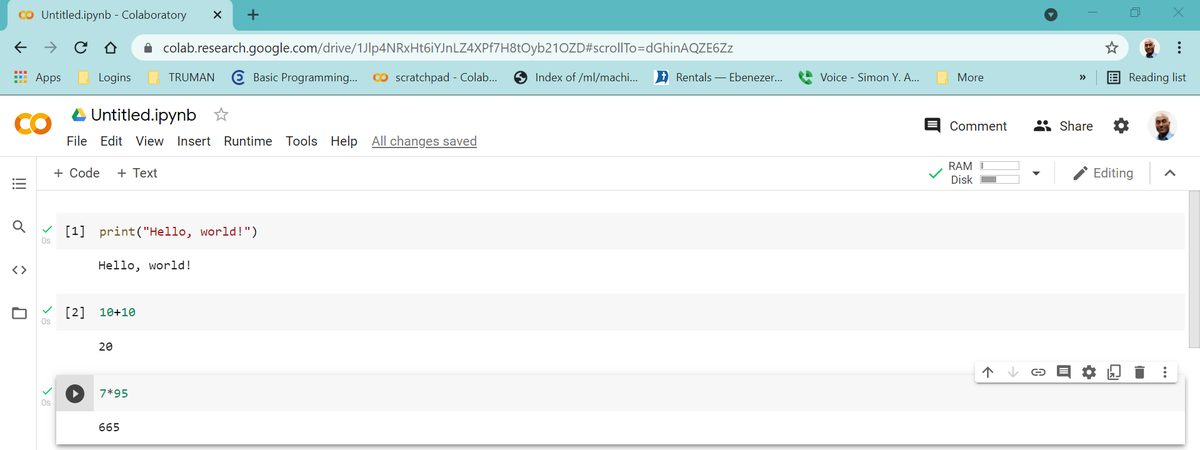
To Write Your Third Python Code
- Click
+ Codeon a notebook to add a code cell - Type
7*95 - Press the
playbutton to execute the code 665is the result
To Save Your Colab Notebook
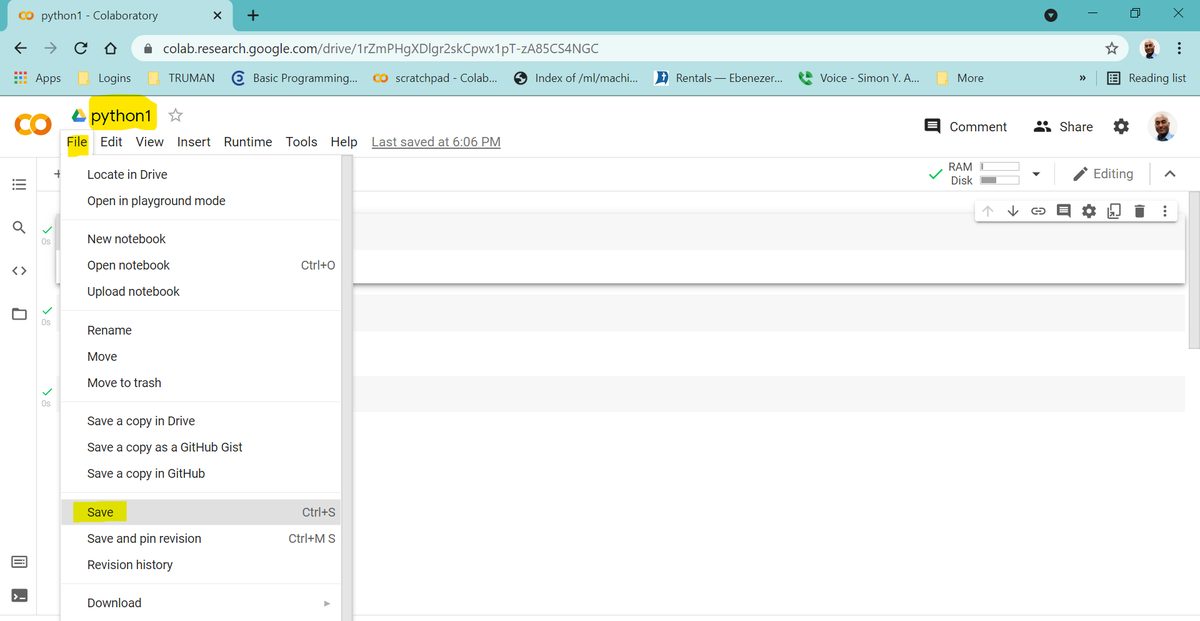
- Click
Untitled.ipynbat the top of the notebook - Delete the title and replace it by typing
python1 - Press the
enterkey - The file
python1is now saved in your Google Drive - Click File and then Save
- Close your browser
To Open Your python1 Notebook
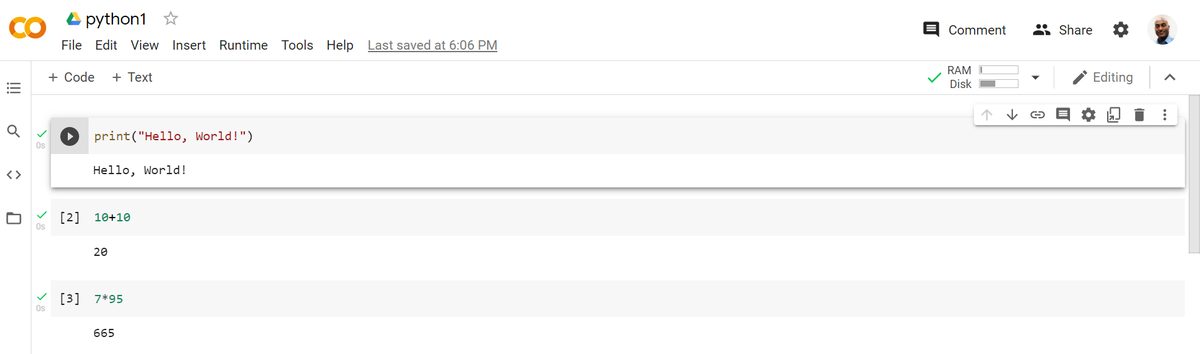
- Click this link or go to your Google Drive.
- Click
python1from the list on the pop-up window - The notebook will open
OR click File menu then Open Notebook
General Direction: For the lab questions below:
- Add a new code-cell on a Colab notebook
- Type the code based on the statement of the lab
- Execute the code
Lab 1.1.1
Add a code-cell and type print("Hello, Python!") and press the play button.
print("Hello, Python!")Lab 1.1.2
Add a code-cell to your Colab notebook and write a Python code that displays the phrase " Welcome to Python Programming Language."
Adapted from Python for Introductory Statistics: Student's Lab Workbook, by Simon Aman (Truman College, City Colleges of Chicago), licensed under CC BY 4.0. Changes were made: reformatted as an accessible XYZ web edition with live in-browser code cells. License: CC-BY-4.0.