
1.1. Getting Started
Google Colaboratory Notebook (Colab for short) is a free web-based Google product, similar to Google Docs, that requires no software installation for Python programming. A Colab Notebook is a list of cells created by adding a code or a text cell. When you create your own Colab notebooks, they are stored in your Google Drive account.
To Open a New Colab Notebook
- Click this link.
- Sign in with your Google account. If you are already signed in, continue to the next step. You can create a free Google account.
- Click New Notebook from the bottom-right of the pop-up window.
Note: It may open a new notebook automatically sometimes.
Note: Google Colab Notebook (Picture Below)
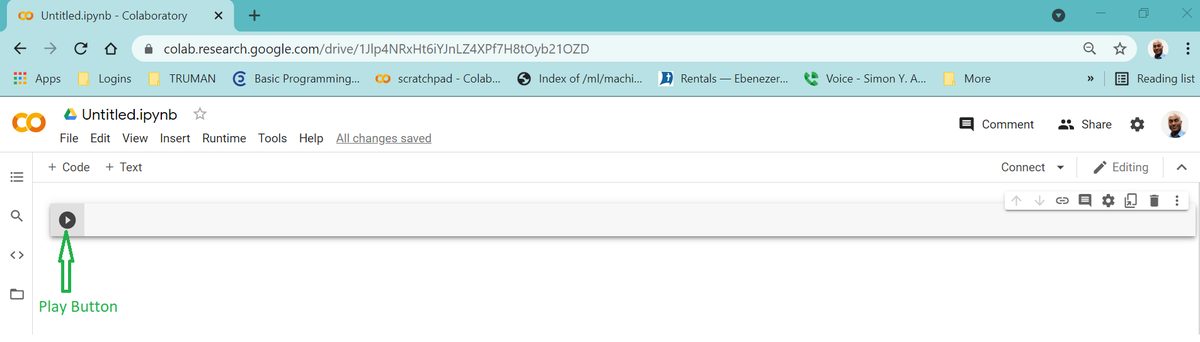
To Write Your First Python Code
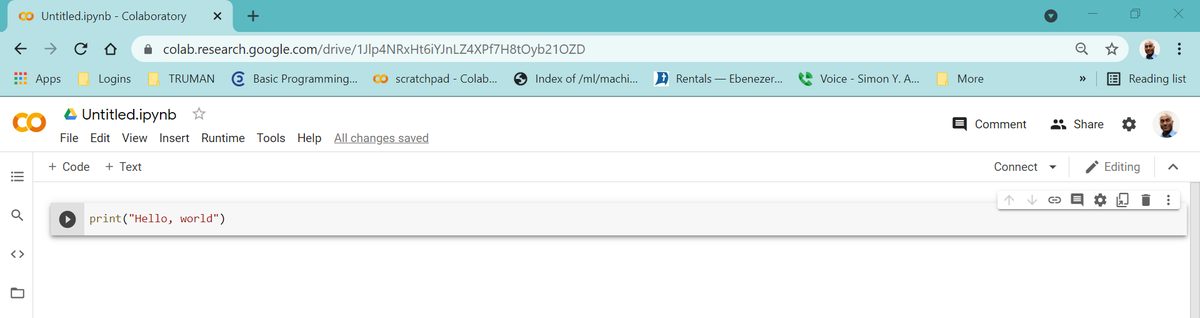
- Click the code-cell next to the
playbutton - Type
print("Hello, World!")
See picture below
To Execute(run) Your First Python Code
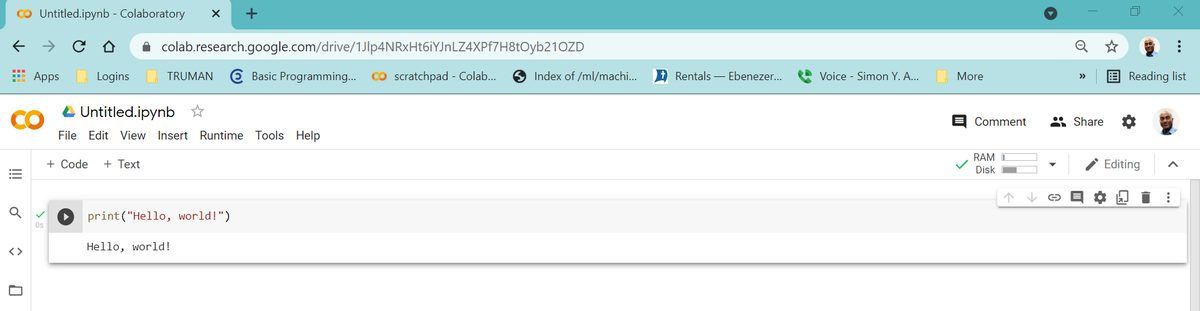
- Click the
playbutton located beforeprint("Hello, World!") - Or click on your first Python code and press Ctrl and Enter on your keyboard. Command and Enter for Mac(Apple) computers.
Hello, world!is displayed on a new line
To Edit the Code
- Click the code-cell with
print("Hello, World!)" - Start editing
To Write Your Second Python Code
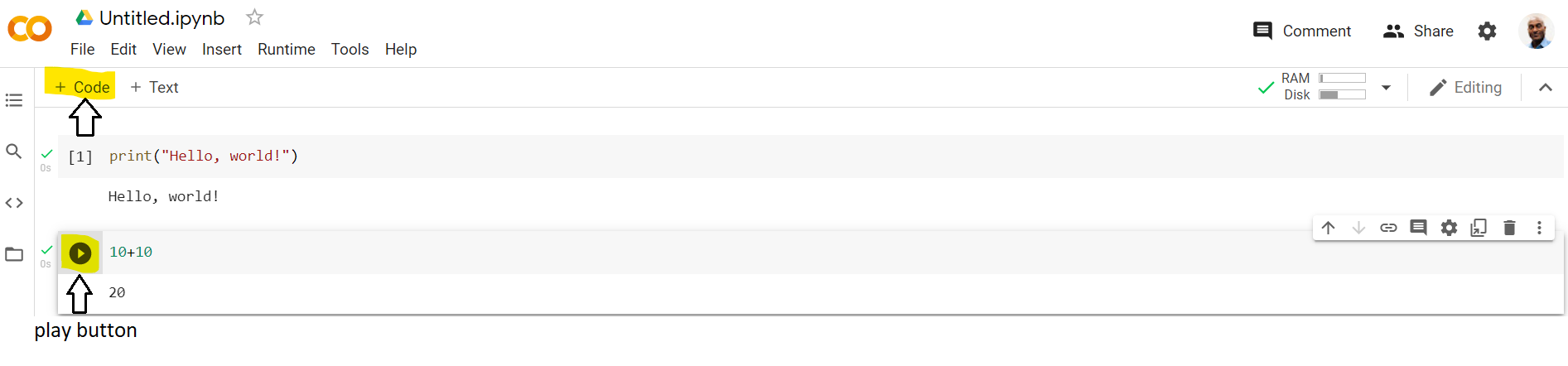
- Click
+ Codein your notebook - Type
10+10in the new code cell - Click the
playbutton - The output
20is displayed on a new line
Note: If you prefer not to use Google Colab Notebook, you can install free Python in your computer. See appendix 1 for details.
Adapted from Python for Introductory Statistics: Student's Lab Workbook, by Simon Aman (Truman College, City Colleges of Chicago), licensed under CC BY 4.0. Changes were made: reformatted as an accessible XYZ web edition with live in-browser code cells. License: CC-BY-4.0.