
1.1 Getting Started
Python is a general-purpose simple-syntax programming language created by Guido van Rossum in 1989. Python is widely used for scientific computing, data science, web development, machine learning, artificial intelligence and other advanced fields. Google, NASA, Netflix, and YouTube are some of the large organizations that use Python.
Google Colaboratory Notebook (Colab for short) is a free web-based Google product, similar to Google Docs, that requires no software installation for Python programming. A Colab Notebook is a list of cells created by adding a code or a text cell. When you create your own Colab notebooks, they are stored in your Google Drive account.
To Open a New Colab Notebook
- Click this link
- Sign in with your Google account. If you are already signed in, continue to the next step. You can create a free Google account
- Click New Notebook from the bottom-right of the pop-up window
Note: It may open a new notebook automatically sometimes.
Note: Google Colab Notebook (Picture Below)
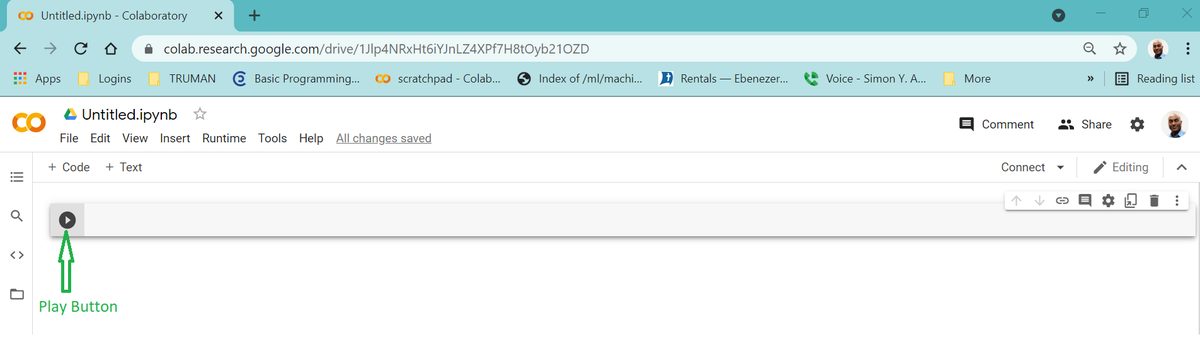
To Write Your First Python Code
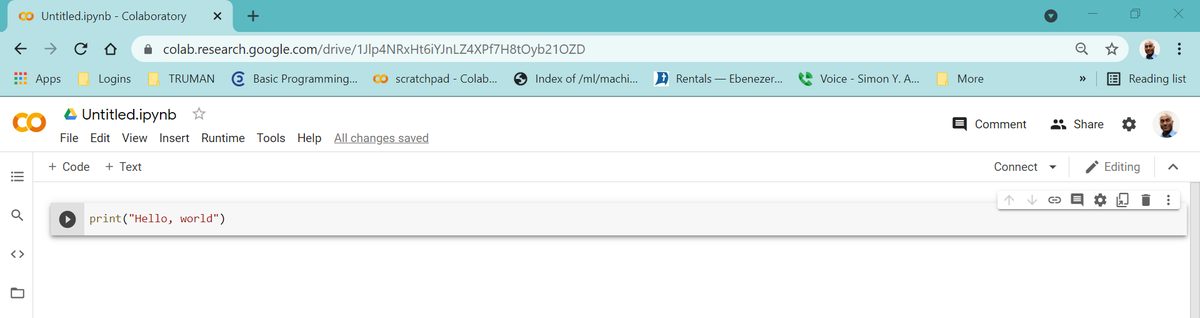
- Click the code-cell next to the
playbutton - Type
print("Hello, World!")
See picture below
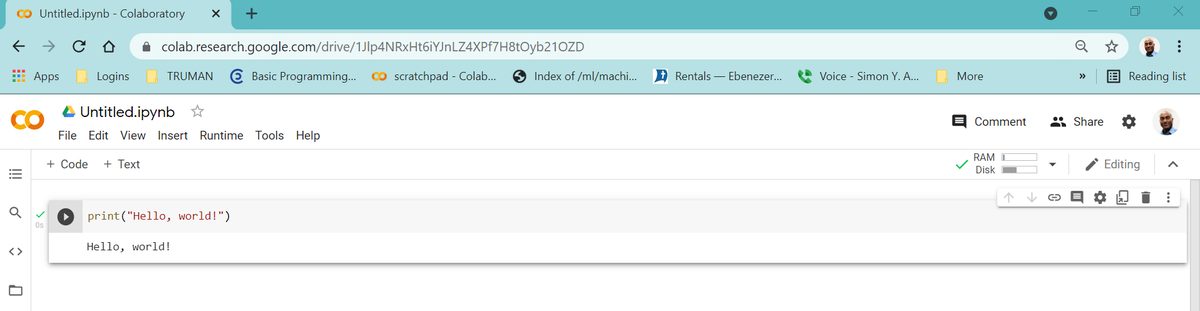
To Execute(run) Your First Python Code
- Click the
playbutton located beforeprint("Hello, World!") - Or click your first Python code and press Ctrl and Enter on your keyboard. Note: It is Command and Enter for Mac(Apple) computers.
Hello, world!is displayed on a new line
To Edit the Code
- Click the code-cell with
print("Hello, World!)" - Start editing
Note: The Python print() function takes in arguments inside parenthesis and prints(displays) them in one line. In the above code, what happens if you leave out one of the quotation marks? print("Hello, World!) or parentheses print("Hello, World!" or misspelled the word print prnit("Hello, World")? In all these cases, you will face error messages. Computer programming languages are literal and unambiguous. It expects everything to be accurate. Learning to identify and fix the causes of errors, debugging, is an important skill in programming.
To Write Your Second Python Code
- Click
+ Codein your notebook - Type
10+10in the new code cell - Click the
playbutton - The output
20is displayed on a new line
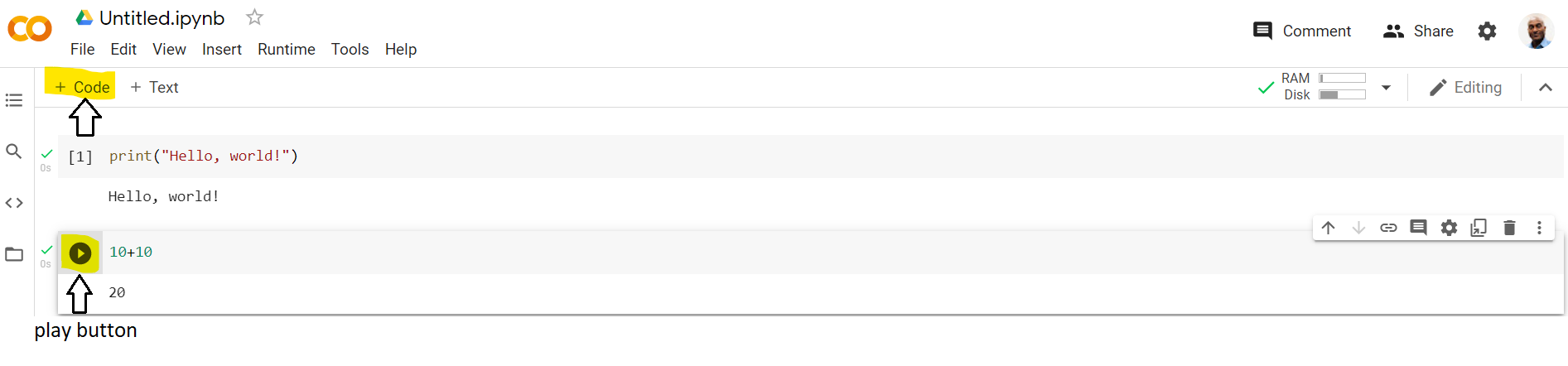
Note: In the first code above Hello, World! was in double quotation marks. But in this example 10+10 is not in quotation marks. Python recognizes anything in quote, such as, "Hello, World!" as string data type, str, whereas 10 is recognized as an integer data type, int. Decimal numbers such as 10.1 are recognized as float data type.
Note: If you prefer not to use Google Colab Notebook, you can install free Python in your computer. See appendix 1 for details.
Adapted from Python for Introductory Statistics, by Simon Aman (Truman College, City Colleges of Chicago), licensed under CC BY 4.0. Changes were made: reformatted as an accessible XYZ web edition with live in-browser code cells. License: CC-BY-4.0.